✨ Neocursor Fix
Neovide 风格光标动画注入器(修复版) / Neovide-style cursor animation injector (fixed version)

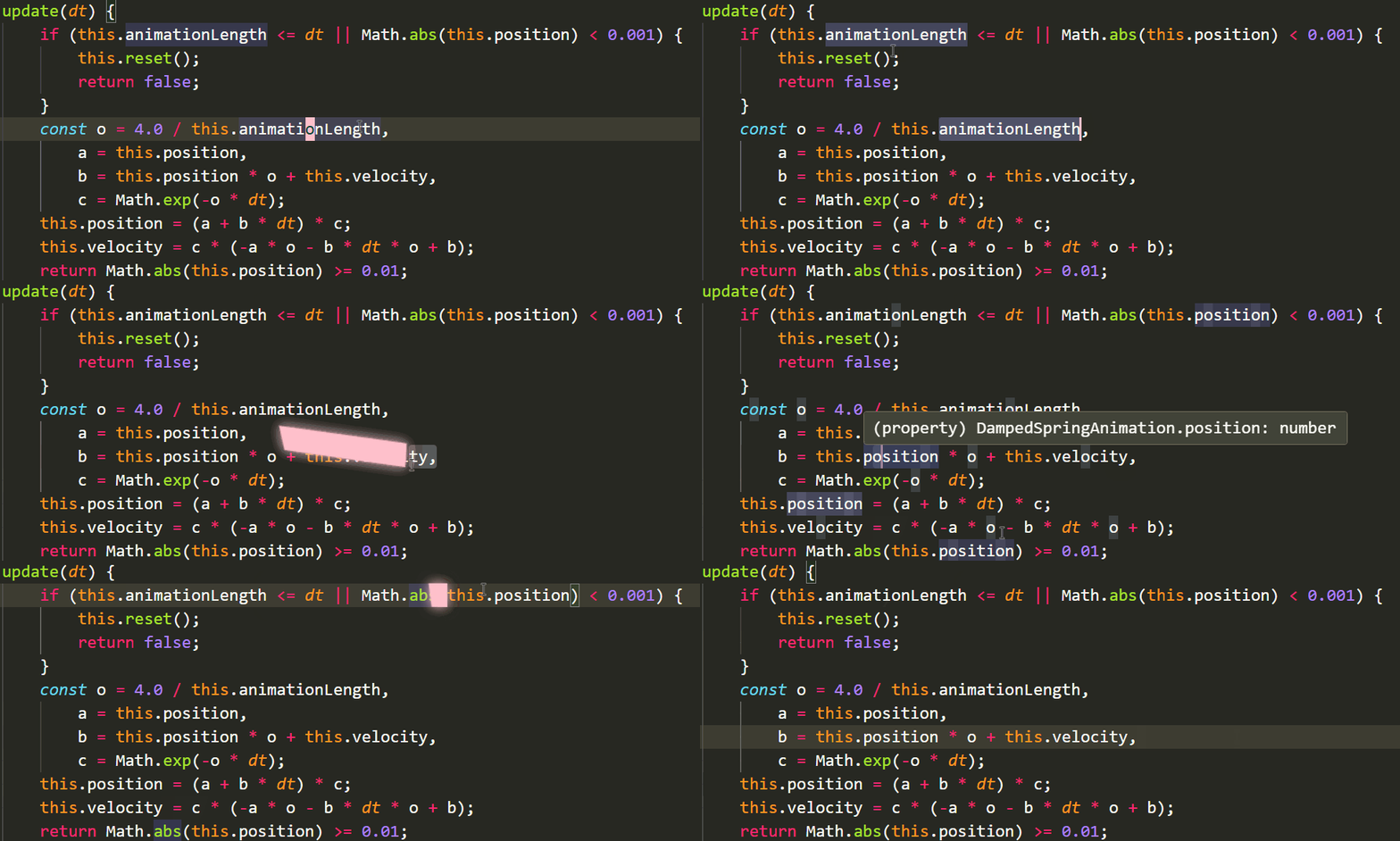
Neovide 风格的光标弹性动画,无需 Custom CSS Loader,安装 VSIX 即用,VS Code 更新后自动重新注入。
A Neovide-style cursor animation for VS Code. No Custom CSS Loader needed — install the VSIX and you’re done. Auto-reinjects after VS Code updates.
🩹 为什么要修复 / Why this fix
原插件(vscode-neovide-cursor)已停止维护。新版 VS Code 的 CSP(Content Security Policy)禁用了内联脚本(script-src 无 'unsafe-inline'),导致原方案(Custom CSS Loader 注入内联 <script>)被拦截,光标动画失效。
The original extension (vscode-neovide-cursor) is no longer maintained. Newer VS Code versions block inline scripts via CSP (no 'unsafe-inline' in script-src), which breaks the original approach of injecting inline <script> tags through Custom CSS Loader.
修复方案:外部同源脚本 <script src="./neovide-cursor.js"> 被 CSP 'self' 放行。本扩展在启动时直接把动画脚本复制到 workbench 目录,并在 workbench.html 中追加一行 script 标签——无需任何额外工具,全程自动。
The fix: same-origin external scripts (<script src="./neovide-cursor.js">) are allowed by CSP 'self'. On activation, this extension copies the animation script into the workbench directory and appends a script tag to workbench.html — no extra tools, fully automatic.
| 特性 / Feature | 原版 / Original | 本修复版 / This fix |
|---|---|---|
| 需要 Custom CSS Loader | ✅ | ❌ 不需要 / Not needed |
| 兼容新版 VS Code CSP | ❌ 失效 / Broken | ✅ |
| 安装方式 / Install | 手动配置 vscode_custom_css.imports | 安装 VSIX 即用 / Install & use |
| VS Code 更新后 / After update | 需手动重新注入 / Manual | ✅ 自动重新注入 / Auto reinject |
🚀 快速开始 / Quick Start
-
从 Releases 下载
neovide-cursor-injector-1.0.0.vsix -
VS Code 中执行命令
Extensions: Install from VSIX...选择该文件 -
完全重启 VS Code(不是 Reload Window)
-
完成!打字时即可看到弹性光标动画
-
Download
neovide-cursor-injector-1.0.0.vsixfrom Releases. -
Run
Extensions: Install from VSIX...in VS Code and pick the file. -
Fully restart VS Code (not Reload Window).
-
Done! You’ll see the elastic cursor animation while typing.
⚙️ 自定义配置 / Configuration
- 命令面板(
Ctrl+Shift+P)执行Neovide Cursor: 重新注入光标动画/ RunNeovide Cursor: Reinject Cursor Animationfrom the command palette - 修改扩展目录下
assets/neovide-cursor.js顶部的参数 / Edit parameters at the top ofassets/neovide-cursor.jsin the extension directory:tailColor:光标颜色(默认粉色#FFC0CB)/ cursor color (default pink#FFC0CB)useShadow:辉光开关 / glow toggleanimationLength:动画速度 / animation speedcursorDisappearDelay:光标消失延迟 / cursor disappear delay
- 保存后重新执行注入命令,重启 VS Code 生效 / Save, re-run the reinject command, then restart VS Code.
覆盖主题光标颜色(可选)/ Override theme cursor color (optional):
"workbench.colorCustomizations": {
  "editorCursor.foreground": "#FFC0CB"
}
❓ 常见问题 / FAQ
Q: 重启后 VS Code 提示”已损坏”?/ VS Code says “corrupted” after restart?
A: 正常现象。本扩展会修改 VS Code 内部文件(workbench.html)来注入动画,这是此类插件的通用做法。点击”不再提示”即可,不影响任何功能。
A: Expected. This extension modifies VS Code internals (workbench.html) to inject the animation — the standard approach for this kind of plugin. Click “Don’t show again”. It doesn’t affect any functionality.
Q: VS Code 更新后动画没了?/ Animation missing after VS Code update?
A: 不用管,扩展会在下次启动时自动重新注入。 A: Don’t worry — the extension automatically reinjects on next startup.
Q: 安装了但没效果?/ Installed but no effect?
A: 请检查 / Please check:
- 是否完全退出了 VS Code 再重新打开(注入需重启生效)/ Did you fully quit VS Code and reopen it? (injection needs a restart)
- 若 VS Code 装在
Program Files等受保护目录,请以管理员身份运行 VS Code 一次 / If VS Code is in a protected directory likeProgram Files, run VS Code as administrator once. - 扩展是否会弹出错误提示(若有,把提示内容告诉我)/ Does the extension show an error notification? (if so, tell us the message)
Q: 如何卸载?/ How to uninstall?
A: 卸载扩展前,先把 workbench.html 还原(删除注入的两行 + 删除 neovide-cursor.js),再卸载扩展。文件位于:
<VS Code 安装目录>/resources/app/out/vs/code/electron-browser/workbench/
A: Before uninstalling, restore workbench.html (remove the two injected lines + delete neovide-cursor.js), then uninstall. Files live in:
<VS Code install dir>/resources/app/out/vs/code/electron-browser/workbench/
⚠️ 性能提示:动画会带来一定性能负担与电量消耗,建议插电使用。 ⚠️ Performance: the animation costs some performance and battery. Plug in your laptop.
🛠️ 自行打包 / Build from source
npx @vscode/vsce package📃 许可证与致谢 / License & Credits
本修复版以 GPL-3.0 许可发布,源自以下项目,感谢各位作者:
This fixed version is released under GPL-3.0, derived from the following projects. Many thanks to all the authors:
| 角色 / Role | 项目 / Project |
|---|---|
| 原作者 / Original author | vscode-neovide-cursor |
| 上游维护版 / Upstream maintained fork | Neovide-Cursor |
| 动画脚本来源 / Animation script origin | vision-smash-code (GPL-3.0) |
| 原视频 / Original video (Bilibili) | BV1XtviBkEMr |
| 稀土掘金原帖 / Original article (Juejin) | 稀土掘金帖子 |
本项目为社区修复版本,与原项目无直接关联。如有问题请在 Issues 反馈。 This is a community-fixed version, not directly affiliated with the original projects. Issues are welcome at Issues.